


SMS Buyer’s Guide:
How to Shop for an SMS Solution

By Jack Tierney, Account Executive at Mogli
Shopping for an SMS solution for your organization isn’t easy. Between choosing the right provider and navigating business texting laws and regulations, there are lots of research rabbit holes to go down. Knowing what you need to know vs what you don’t, just to get started, is a real challenge.
Every single day, our team talks with nonprofits, universities, and commercial organizations about the why and how behind implementing text messaging. We want to use that real-world experience to help you find the best solution for your organization, both for where you are today and where you need to scale tomorrow.
Want to dive deeper into anything covered in this guide? Book a meeting with us today.

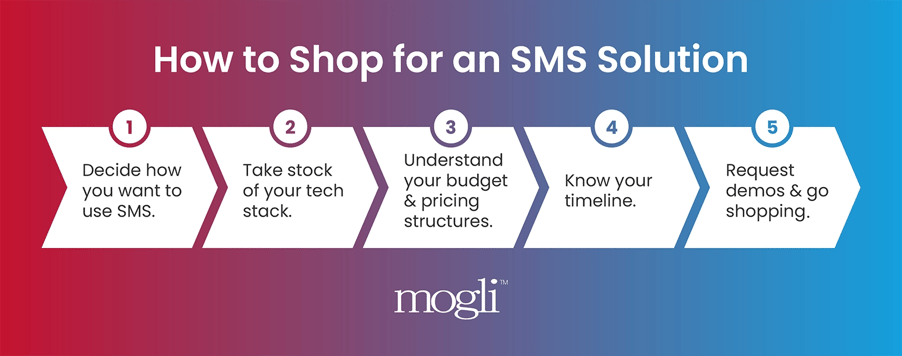
Step 1: Decide What You Want to Do with SMS
The organizations that move fastest through this process are the ones that have already discussed their needs internally. Before you talk to a single SMS software vendor, take time answering these questions with your team:
- What are we actually texting about? Appointment reminders, lead follow-up, etc.
- Who's on the receiving end? Customers, constituents, students, prospects?
- Who on our team is doing the texting? Is it one person, or a whole department?
- How many messages do we think we'll send per month? A rough estimate is enough.
- Do we want to text from an existing phone number, or start fresh?
Step 2: Take Stock of Your Tech Stack
What CRM does your organization use? Are there SMS solutions built specifically for that platform? For instance, if your team works out of Salesforce, you’ll want a Salesforce-specific SMS platform like Mogli.
This one matters more than people expect. Your end goal should be that your conversations, your contact data, and your automations all live in one place. Your team doesn't have to learn a second system or navigate in and out of multiple platforms just to send and receive messages. Your SMS solution should work in and alongside your existing CRM data, workflows, and processes your team is already used to.
We recommend bringing your CRM/Salesforce Admin into the loop early. Let them look under the hood and ask questions about the SMS software you’re evaluating before you sign anything.
Step 3: Understand Your Budget & SMS Pricing Structures
Budget misalignment is one of the most common reasons SMS implementations never happen. Getting a range defined before you start having in-depth meetings and demos with vendors will make every conversation more productive.
SMS software pricing usually involves a combination of a platform license fee and per-message costs, and in some cases, a per-user license fee. Here’s a quick breakdown of typical components of SMS software pricing:
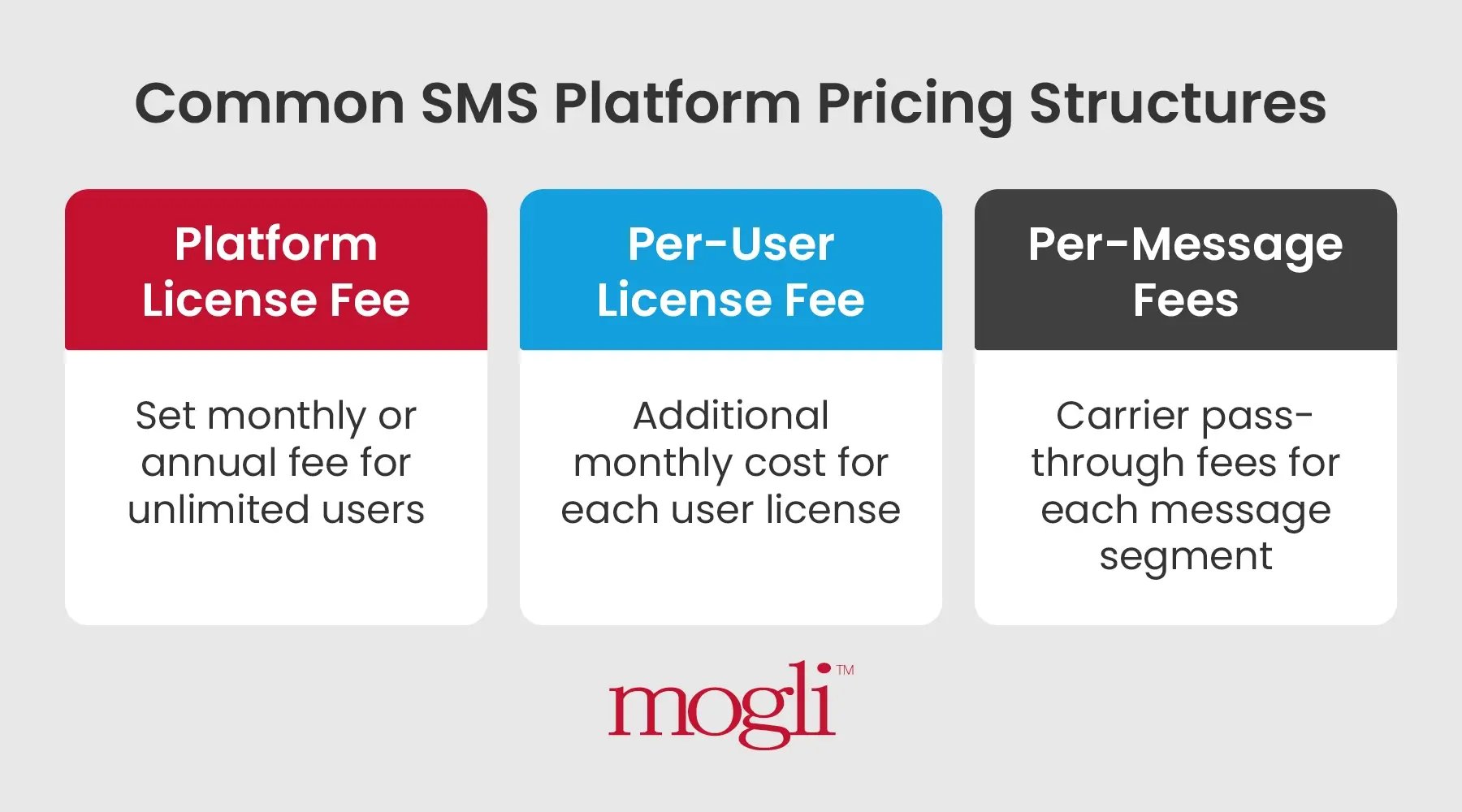
- All-Inclusive platform license fees: These vendors charge a set monthly or annual fee for your entire organization. This means you can have unlimited users, all for one price. Messages may be included in the platform fee, but will likely have limits or ceilings.
- Per-user license fees: Many SMS solutions charge by the user, meaning you pay a monthly cost for each user license you need. If your organization scales, costs go up. Mogli does not charge per additional user. Messaging may or may not be included in this license fee.
- Per-message costs: SMS software providers may charge fees for message delivery. These may begin once base message allowances are exceeded, or in some cases may be a distinct line-item that you pre-purchase that allows segments to be sent out.
Any SMS vendor should be able to clearly break down all costs for you.
Step 4: Know Your Timeline
When do you want to send your first text?
Before you can start texting, your phone numbers must get permission to send outbound messages (also referred to as carrier (AT&T, Verizon, T-Mobile, etc.) registration) to comply with A2P (Application–to-Person) regulations. This vetting process verifies your organization’s legal identity (via Tax EIN) and audits your message flows, opt-in consent mechanisms, and privacy policy.
Most brand, campaign, and carrier registration and approval processes take up to 4 weeks. Your SMS provider should clearly communicate registration requirements and details needed to gain approval, while providing a clear timeline and plan.
At Mogli, our Onboarding Team manages and facilitates all carrier registration tasks, base implementation and configuration, along with end-user training - all while working towards your projected go-live date. We typically advise clients to plan 4-8 weeks for this process from start to finish.
Step 5: Go Shopping
Now that you’re well prepared, it’s time to start shopping for a texting solution.
A few tips for evaluating vendors:
- Read reviews. Your best source of information on any SMS app or platform is its customer base. Find an existing customer of the tool you’re researching and ask for some of their time. At Mogli, we’ll happily share case studies and connect you to an existing client similar to your organization.
- Get into demos. See the product in action with your actual use case in mind.
- Come prepared with questions. When you’re in a demo, ask about what's not in the demo: onboarding, support, carrier registration help, and pricing transparency. These are the things that separate great vendors from frustrating ones.
- Imagine your team actually using the service. A cheaper tool that requires three integrations, a developer, and a dedicated admin is often more expensive in practice than a pricier tool that works.
In your conversations with vendors, you'll hear terms like 10DLC, short codes, HTTF, and more. To get a better idea of what all these refer to, check out this article from our Texting 101 series.
While it’s helpful to know what all of these are, these are simply variations of the gateways that run SMS, the technology that nearly all business messaging runs on, and is all you need to get started. While SMS is the primary tool, also be aware that other options, like WhatsApp and RCS, are available and offer their own pros and cons. The right vendor should be able to walk you through these and recommend the best solution for your organization’s needs.
Conclusion
There’s a lot to consider when shopping for a text messaging tool. I hope this guide has helped you cut through some of the noise.
Mogli makes it easy to text on Salesforce. If you’re a Salesforce org shopping for an SMS tool, we'd love to talk.
Good luck with your rollout.